Posted by Rob Whalley
How CAFM Systems Ensure Engineer and Contractor Safety
Maintenance engineers and contractors often work in high-risk environments — plant rooms, rooftops, confined spaces, or with hazardous equipment and substances. Ensuring their safety is not just about compliance — it’s about duty of care, operational continuity, and risk reduction.
A modern Computer-Aided Facilities Management (CAFM) system plays a vital role in supporting safe working practices by providing real-time access to job-specific health and safety data, managing competencies, enforcing workflows, and monitoring working conditions. Here’s how CAFM software helps protect those carrying out the work.
1. Safe Job Allocation – Only Qualified Technicians Assigned
One of the simplest ways to reduce risk is to ensure that only appropriately trained and certified individuals are assigned to high-risk tasks. A CAFM system can:
- Match jobs to engineers or contractors based on qualifications and certifications
- Prevent assignment of safety-critical tasks to unqualified personnel
- Flag expired or missing credentials before work is approved
- Record training history and renewal dates for compliance checks
This ensures the right person with the right skills is completing the right job, every time.
2. Access to Job-Specific Safety Information
Before attending a job, engineers need to understand the safety requirements. CAFM software ensures they can access:
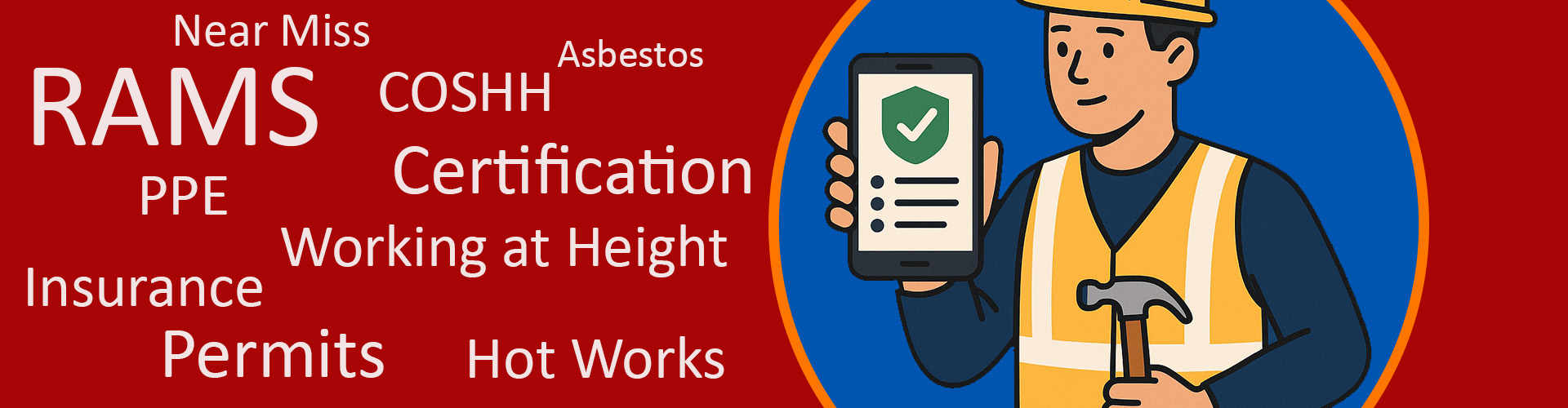
- Risk Assessments and Method Statements (RAMS)
- COSHH data for hazardous substances
- Hot works permits and fire watch requirements
- Working at height protocols and PPE checklists
- Asbestos registers and locations
- Detailed method statements and H&S notes
This information is typically available via desktop or mobile app, ensuring it's reviewed before work begins.
3. Dynamic Risk Assessments on the Ground
Conditions can change rapidly on site. CAFM systems with mobile functionality allow engineers to complete dynamic risk assessments on arrival. These capture:
- Unexpected hazards (e.g. blocked access, power issues)
- Site-specific risks not covered in standard RAMS
- Real-time safety observations
- Required additional PPE or equipment
Dynamic assessments are stored against the job record, providing evidence of a safety-first approach.
4. Live Safety Warnings and Job Restrictions
A key benefit of digital job scheduling is that safety warnings can be embedded directly into the job ticket. CAFM systems can display:
- Live warnings for ongoing safety risks
- Restricted access zones
- Confined space or lone working protocols
- Requirements for multiple operatives on high-risk jobs
- Instructions for safe system shutdowns
This ensures engineers are informed of critical hazards before they even step on site.
5. Monitoring Working Hours to Prevent Fatigue
Overwork is a serious safety concern. CAFM systems can track:
- Time spent on each job
- Daily or weekly working hours
- Travel time between jobs
- Required rest breaks or working time directives
Supervisors can use this data to identify signs of fatigue, adjust schedules, and reduce the risk of accidents caused by exhaustion or stress.
6. Multi-Worker Job Coordination
Some jobs require multiple personnel to work safely — for example, where manual handling is involved, or in hazardous environments. CAFM systems can:
- Assign multiple operatives to a single job
- Record each worker’s attendance and time on site
- Ensure shared safety protocols are acknowledged
- Flag lone working scenarios that breach policy
This improves accountability, communication and compliance with safe working practices.
7. Contractor Safety Management and Certification
When managing external contractors, CAFM systems support:
- Upload and verification of insurances and safety accreditations
- Tracking of induction and site-specific safety briefings
- Contractor access controls and time on site
- Management of permit to work and RAMS submissions
This helps ensure third parties meet the same safety standards as internal teams.
8. Real-Time Incident, Accident and Near Miss Reporting
Mobile access means engineers can instantly report:
- Accidents or injuries
- Unsafe conditions
- Near misses
- Broken or missing safety equipment
These reports are routed to H&S officers or facilities managers, who can assign corrective actions, investigate, and implement preventative measures — all documented in the CAFM system for auditing.
9. Post-Job Safety Auditing and Verification
Safety doesn't end when the job is complete. CAFM systems enable:
- Job audits to verify that safety steps were followed
- Digital checklists confirming PPE used, RAMS followed, and safety sign-offs completed
- Upload of photos or documents to prove job completion and safety compliance
- H&S team review of job histories for trend analysis or training purposes
This closes the loop on safety and provides a full audit trail.
10. Building a Culture of Safe Working
Beyond processes, CAFM systems encourage a proactive safety culture by:
- Making safety expectations visible and routine
- Empowering engineers to report issues without delay
- Reinforcing safe work habits through automated workflows
- Ensuring accountability at every stage of a job
By embedding safety into daily operations, CAFM software helps reduce incidents, improve compliance, and protect the people doing the work.
Conclusion: Digital Safety by Design
In maintenance and facilities management, safety isn’t a box to tick — it’s a constant priority. CAFM systems help operational teams plan, monitor and execute work in a way that puts safety at the centre. From qualified job allocation to post-job audits, it provides the digital framework for safe, consistent, and compliant service delivery.
Whether you’re managing in-house engineers or external contractors, the right CAFM system becomes a vital part of your health and safety strategy — protecting lives, reputations and operational uptime.
To learn more about how Tabs CMMS and CAFM can be configured to support these safety options, please contact sales@tabsfm.com

























Follow us:
GDPR (Data Privacy)
Disclaimer
COVID-19