
Posted by Rob Whalley
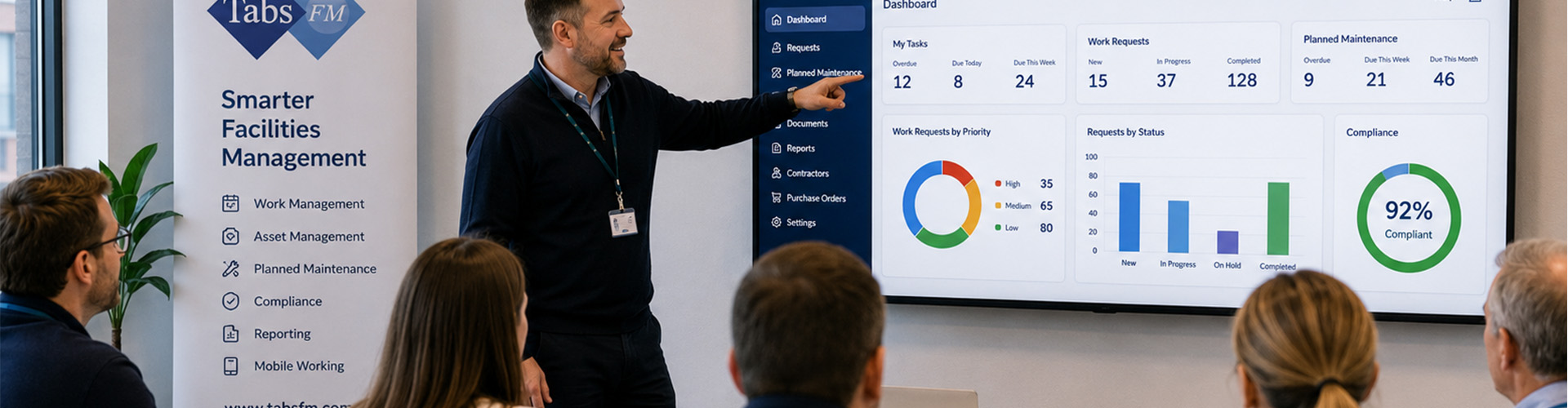
CAFM Training Approaches: How to Build Confident, Capable Users
Implementing a new Computer-Aided Facilities Management system is not simply a technology project. It is a change in how people record information, manage work, communicate with colleagues and make operational decisions.
Even the most capable CAFM system will only deliver value when users understand how to use it correctly and consistently. A structured training approach is therefore essential to successful implementation, user adoption and long-term return on investment.
Why CAFM Training Matters
A CAFM system may be used by a wide range of people, including:
- Helpdesk teams
- Facilities managers
- Estates officers
- Engineers and technicians
- Contractors
- Finance teams
- Compliance managers
- Departmental users
- Senior management
Each group interacts with the system differently. A technician using a mobile application to complete maintenance tasks does not need the same training as a system administrator configuring planned maintenance schedules.
Training should therefore be based on job role, responsibilities and business processes rather than providing every user with the same generic system demonstration.
1. Role-Based Training
Role-based training focuses on the areas of the system that each user needs to perform their job. For example:
Helpdesk users may need to understand how to:
- Log requests
- Select buildings, locations and assets
- Assign priorities
- Allocate work
- Update requesters
- Monitor outstanding jobs
Engineers and technicians may need training on:
- Receiving work through a mobile application
- Recording attendance
- Reviewing asset and job information
- Completing risk assessments
- Recording labour, materials and notes
- Creating follow-on work
- Closing jobs correctly
Managers may need to understand:
- Dashboards
- Performance reports
- Compliance positions
- Contractor performance
- Backlogs
- Costs
- Key performance indicators
Role-based training keeps sessions relevant and avoids overwhelming users with functionality they are unlikely to use.
2. Train-the-Trainer
A train-the-trainer approach involves training a selected group of internal system champions to a higher level. These users can then:
- Support colleagues
- Deliver internal refresher training
- Answer common questions
- Help enforce agreed processes
- Identify where additional guidance is required
- Assist with onboarding new employees
This approach is particularly effective for larger or multi-site organisations. It provides users with a local point of contact and reduces long-term dependence on the software supplier for routine questions.
Internal trainers should be carefully selected. They need more than technical ability. They should understand the organisation’s processes, communicate clearly and be willing to support colleagues after the system goes live.
3. Process-Based Training
CAFM training should explain complete business processes rather than teaching individual buttons and screens in isolation. For example, reactive maintenance training could follow the full journey of a request:
- A user reports a fault.
- The helpdesk reviews and prioritises it.
- The work is assigned to an engineer or contractor.
- The engineer attends and records the work completed.
- Materials, labour and costs are added.
- The job is reviewed and closed.
- Performance is reported through dashboards and reports.
This approach helps users understand not only what they need to do, but why the information matters to the next person in the process. Poor-quality information entered at the start of a workflow can affect reporting, invoicing, compliance evidence and future maintenance decisions.
4. Scenario-Based Training
Scenario-based training uses realistic examples based on the organisation’s buildings, assets, users and procedures. Examples might include:
- Reporting a water leak in a school
- Completing an emergency repair in a hospital
- Recording a statutory inspection
- Raising a purchase order for a contractor
- Creating remedial work following an audit
- Updating an asset after replacement
- Recording evidence against a compliance activity
Realistic scenarios help users connect the system to their daily responsibilities. They also provide an opportunity to test whether the configured workflow is practical before the system goes live.
Where possible, training should use the organisation’s own terminology and configured system rather than a generic demonstration database.
5. Classroom and Workshop Training
Instructor-led classroom sessions remain valuable, particularly for system administrators, helpdesk users and managers. These sessions allow users to:
- Ask questions
- Discuss existing processes
- Work through practical exercises
- Learn from colleagues
- Identify inconsistencies
- Agree standard ways of working
Training is usually most effective when delivered to smaller groups of users with similar responsibilities.
Large sessions covering every module and every user type can become difficult to follow. Users may also be reluctant to ask questions when much of the content is not relevant to them.
6. Online and Remote Training
Remote training provides a flexible and cost-effective option for geographically dispersed teams. Sessions can be delivered through video conferencing platforms and may include:
- Live system overviews
- Guided exercises
- Question-and-answer sessions
- Screen sharing
- Recorded training sessions
- Short module-specific workshops
Remote training works particularly well for refresher sessions, administrator support and focused topics.
However, users should still be given an opportunity to practise. Watching a demonstration alone is rarely enough to build confidence.
7. Short, Task-Specific Learning
Not every training requirement needs a lengthy course. Short guides and videos can be created for frequent tasks such as:
- Logging a maintenance request
- Closing a job
- Adding a document
- Approving a purchase order
- Creating a follow-on job
- Running a standard report
- Updating a contractor certificate
- Resetting a filter or dashboard
This form of learning is sometimes described as “learning in the flow of work.” It gives users immediate help at the point they need it. Short training resources are also useful when processes change or new functionality is introduced.
8. Hands-On Practice
Users should be given access to a training or test environment wherever possible. Hands-on practice allows users to build confidence without affecting live data. It also helps identify:
- Training gaps
- Confusing terminology
- Missing permissions
- Incorrect system configuration
- Unclear processes
- Data-quality issues
Practical exercises should reflect the user’s role. For example, an engineer may be asked to receive, update and complete a maintenance job, while a manager may be asked to review overdue work and produce a report.
9. Go-Live Support
Training should not end when the system goes live. The first few days and weeks are often when users need the most support. Organisations should consider:
- Floor-walking or on-site support
- Remote drop-in sessions
- Daily issue reviews
- A dedicated internal support channel
- Frequently asked questions
- Additional training for users who are struggling
- Monitoring whether processes are being followed
Early support can prevent users from developing workarounds or returning to spreadsheets, paper forms and emails.
10. Refresher and Ongoing Training
CAFM training should be treated as an ongoing programme rather than a one-off implementation activity. Refresher training may be required because:
- Users forget tasks they perform infrequently
- Employees change roles
- New starters join the organisation
- Business processes are updated
- New modules are introduced
- System functionality develops
- Poor data quality identifies a training need
Regular reviews can also identify areas where the organisation is not using the system to its full potential.
Choosing the Right Training Approach
Most organisations benefit from a blended approach combining several methods. A typical programme may include:
- Administrator training during system configuration
- Role-based workshops before go-live
- Train-the-trainer sessions for internal champions
- Scenario-based practical exercises
- Short videos and user guides
- Go-live support
- Refresher sessions after implementation
The right approach will depend on the size of the organisation, number of sites, user confidence, system scope and complexity of the processes being introduced.
Measuring Training Success
Training should be measured by operational results, not simply by attendance. Useful measures may include:
- Percentage of users completing training
- User confidence scores
- Number of support requests
- Quality and completeness of records
- Reduction in incorrectly closed jobs
- Mobile application usage
- Percentage of work managed through the CAFM system
- Reduction in spreadsheets and manual processes
- Compliance with agreed workflows
Where users continue to avoid the system or enter incomplete information, further investigation may be required. The issue could relate to training, system configuration, workload, permissions or the design of the process itself.
Final Thoughts
Successful CAFM training is about more than explaining software features. It should help people understand their role within a wider operational process and show how accurate information supports maintenance, compliance, finance, performance and decision-making.
A structured, practical and role-based training programme helps build confidence, encourages consistent use and ensures the organisation receives maximum value from its CAFM investment.
At Tabs FM, training can be aligned with the organisation’s configured system, operational workflows and user responsibilities. This helps ensure that users are not simply shown how the system works, but understand how it should be used within their organisation.





























Follow us:
GDPR (Data Privacy)
Disclaimer
COVID-19